
Sale
In this module you can enter touch pos transaction and see various graphical sale reports.
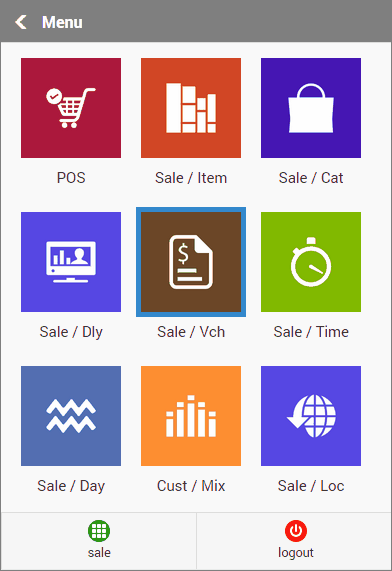
•POS: Enter touch pos transaction using tab, smart phone etc while sitting far from your business setup.
•Sale / Item: Shows the items that are sold today..
•Sale / Cat: Shows Product Group / Sub-group / Department / Brand wise sale analysis report.
•Sale / Dly: Shows Day Wise Sale.
•Sale / Vch: Shows Voucher wise sale.
•Sale / Time: Shows time wise sale for every hour of current / last month
•Sale / Day: Shows day wise sale.
•Cust / Mix: Shows price point, spending wise and customer mix analysis report.
•Sale / Loc: Shows Location wise sale for a selected period.