
KOT Analysis
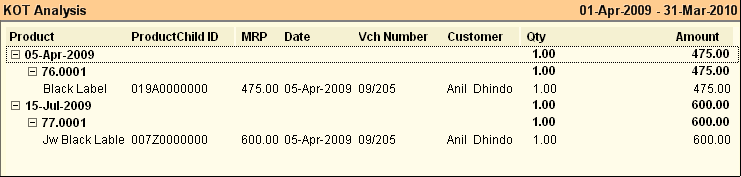
You get the list of dates on which KOT, Quantity & Amount. On exploding the date, the Internal Code of the Product and other details of the KOT are shown
This report displays all KOT (Kitchen Order Ticket) in chronological order. Data is displayed KOT wise (ex: 76.0001) and the Item details in the next line
Buttons in the KOT Analysis:
Buttons are explained in Using Reports (Register). Buttons specific to “KOT Analysis” are discussed here:
-R Renumber |
Use to renumber the KOT. Note: This is advised to log off every user before renumbering. |
Enhancement in Report
KOT Analysis Report
Following fields are recorded during KDS operations. These columns are added in the KOT Analysis Report.
●Order selection Time
●Order done Time
●Order Serve Time
Related Faqs:
•How to renumber a series of KOT?