
Physical Stock Report
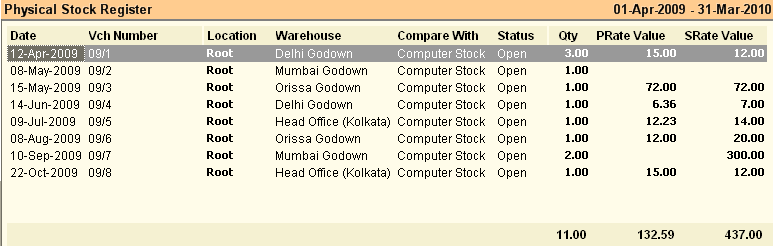
Physical stock Register shows the list of Physical Stock Vouchers.
Select a Voucher and Click "–E Expand" button to see the details of Items of Physical Stock of the selected voucher.
Buttons in the Physical Stock Report:
Buttons are explained in Using Reports (Register). Buttons specific to “Physical Stock Register” are discussed here:


^B Barcode |
Press CTRL + B or click this button to print bar-code for selected transactions or item entry rows. This will work both in Register View and Product View. You can select one or more rows and print them together. |