
FAQ
Release Notes
Release Note 1.498
Third Party Device
- Integration of KOT Buzzer Device
Transaction
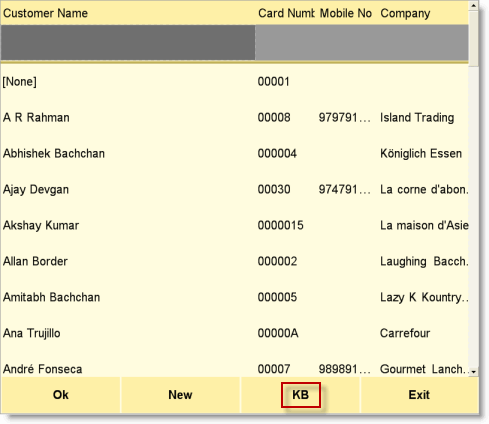
- New button KB has been added in the Customer List screen. Click this button or press CTRL+K in the Customer List Screen to get the on screen keyboard. Then type the search string in the keyboard and touch/click enter key to search the customer. It is very helpful to search a customer in the fully touch screen based TouchPOS terminals.
.
Option
- New fields have been added in the Customer Information (C > T > I) option;
|
Privacy Settings |
|
|
Show Other Information |
Set Yes to show other information like Company, Birthday, Anniversary, Mobile, Email ID, Total Sale, Credit Limit and Due etc else set No. |
|
Show CRM Point details |
Set Yes to show CRM Point Details like Opening, Earned, Redeemed, Closing and Remarks etc else set No. |
Report
- New columns Picture1 and Picture2 have been added in Stock Replenishment Report (W > A > Q). It shows product photo in the report. Before this please set “Show Images in Report=Yes” in the Global Option (T > A > G)
.