
Is it possible to sale Combo meals in my food court using RanceLab Software?
Example1:
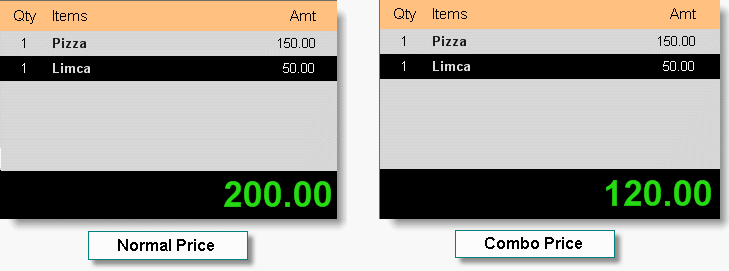
In my Food Court I have a Combo called Pizza Combo which contains one Pizza with one Limca/Pepsi/Thums-Up. The price of the Combo meal will be 20% lesser than the items selected individually.
Example2:
In my Food Court I have a Combo called Pizza Combo which contains one Pizza with one Limca and one Chicken Wings. The price of the Combo meal will be 40% lesser than the items selected individually.
Now you can implement Combo item sale using RanceLab Software. Please follow the steps given below to accomplish the task.
Step 1: Create Combo Master:
Step for Example 1:
- From main go to the Combo Master (M>F>B)
- Set the combo master as shown in the picture below;
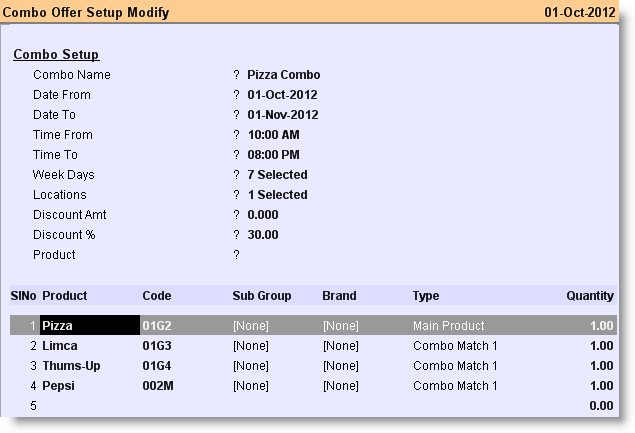
Note: During sale from Touch POS if you select item Pizaa and then press T to tender the amount then it will show the following message;
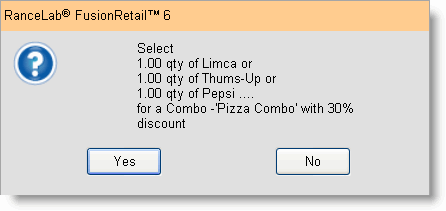
Click Yes to select any combo item Limca/Thums-Up/Pepsi to get 30% discount else click No, then the item Pizza will be sold as per its individual sale rate.
Step for Example 2:
- From main go to the Combo Master (M>F>B)
- Set the combo master as shown in the picture below;
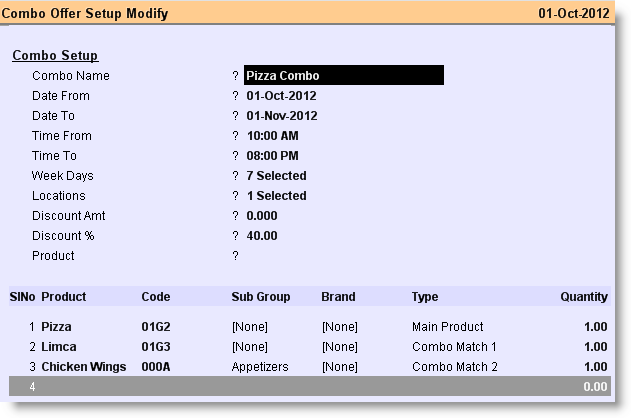
Note: During sale from Touch POS if you select item Pizaa and Limca or Pizaa and Chicken Wings together and then press T to tender the amount then it will show the following message;
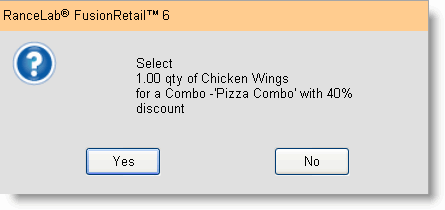
Click Yes to select combo item Chicken Wings to get 40% discount else click No, then the item Pizza and Limca will be sold as per its individual sale rate.
Step2: Adding the products in the Menu
- Go to Main Menu > Master Data Management > F&B > Menu Management (M> F> M)
- Alt + L
- Select the menu name from the list
- Go to the last row of the product column
- Alt + L
- Select the products from the list(if they were not selected already)
- Save
Step3: Making changes in Location master page.
- Go toMain Menu > Master Data Management > Inventory > Location (M > I > L)
- Come to Other Settings.
- Set “Activate Scheme and Promotion = Yes”
- Save

Step 4: Selling the Combo Items
- Go to Main Menu > Sale Management > Transaction > Sale Invoice (Touch POS) (S > T > T)
- Select the Combo Item products.
- Press F6 (or you can use ‘F6 Updt Scheme’ button), it will calculate the final amount according to the combo master setting.
- Tender.
- Finish.
For more information please visit: