FAQ
Master Data Management
/Accounts
/Closing Stock (Accounts)
How to enter Opening Stock for Profit & Loss Account and Closing Stock both for Profit & Loss Account and Balance Sheet?
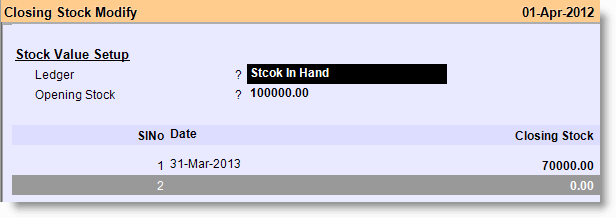
Assume that the opening stock value was Rs. 100,000/- as on 01.04.2012 and that needs to show in Profit & Loss Account. Also assume that at year end there was a closing stock of Rs. 70,000/- as on 31.03.2013 and that needs to show both in Profit & Loss Account and Balance Sheet.
.
- Press F2 on main screen to change current software date to 01.04.2012
- From main go to the Closing Stock (M>A>S)
- Press Alt+L at “Ledger” field and select either Stock In Hand or Closing Stock
- Put the value of Opening Stock as on 01.04.2012 at “Opening Stock” field
- Now come to the “Date” field of Sl No. 1 and type the year end date 31.03.2013
- Put the value of Closing Stock as on 31.03.2012 at “Closing Stock” filed
- Press Alt+S to save the transaction.
.
Note:
This way it will show opening stock of amounting Rs.100000.00 in Profit & Loss Account and closing stock of amounting Rs.70000.00 in both Profit & Loss Account and Balance Sheet.
.
Tips:
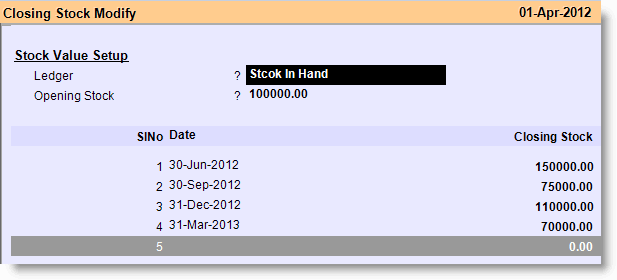
Similarly you can enter closing stock quarterly in order to maintain quarterly Balance Sheet.