Award double or (Earned Point * X) points to the customers for sale made on specific days of a week.
Now you can award double or (Earned Point * X) points to the customers for purchase made by him/her on the specific days of a week when sales are low. It will encourage the customers to visit the stores on low selling days which will ultimately boost up revenue generation. Steps are as follows:
- From main go to the Customer Master (M > O > C)
- Press ALT+L to select the Customer from the list
- Press CTRL+Enter at “Card Type Name” field to edit the old card type OR
- Press CTRL+N at “Card Type Name” field to create the new card type
- In the Card Type Modify screen, under the Point Multiplier set the details as explained below:
|
Point Multiplier Award double or (Earned Point * X) points to the customers for purchase made by him / her on the specific days in a week when sales are low. It will encourage the customers to visit the stores on low selling days which will ultimately boost up revenue generation. |
|
|
Multiply Points by
|
Enter point multiplier like 1.5 / 2.00 / 3.00 etc. For instance: If total points earned by the customer is 100 and "Multiply Points by" is set to 1.5 then total (100 * 1.5) =150 points will be awarded to the customer. |
|
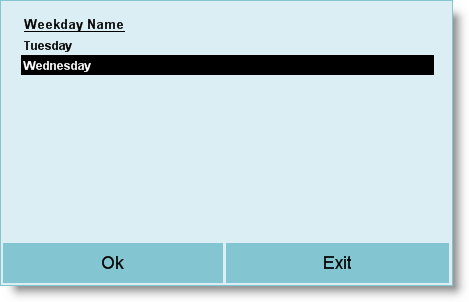
Applicable Week Days |
Select weekdays here. The Point Multiplier will work only on selected days.
|
|
From Time |
Enter the time from which Point Multiplier will be applicable for the day e.g. 10.00. |
|
To Time |
Enter the time up to which Point Multiplier will be applicable for the day e.g. 20.00. For instance: If "From Time" is set to 10.00 and "To Time" is set to 20.00, then Point Multiplier will only be applicable if the sales made between 10 A.M. to 8 P.M. |